Gmail out of the browser tab
Its own window and taskbar icon, and the keys a browser keeps for itself: Ctrl+W closes a Dodosend tab rather than your browser’s, and Ctrl+Tab moves to your next mailbox.
Google doesn’t make a Windows app for Gmail, and Windows’ own Mail app has given way to the new Outlook. Dodosend is a desktop Gmail client for Windows 10 and 11: your labels, Gmail-style search, your calendar, and a key for everything.
Free for one Gmail mailbox, on macOS, Windows, and Linux.
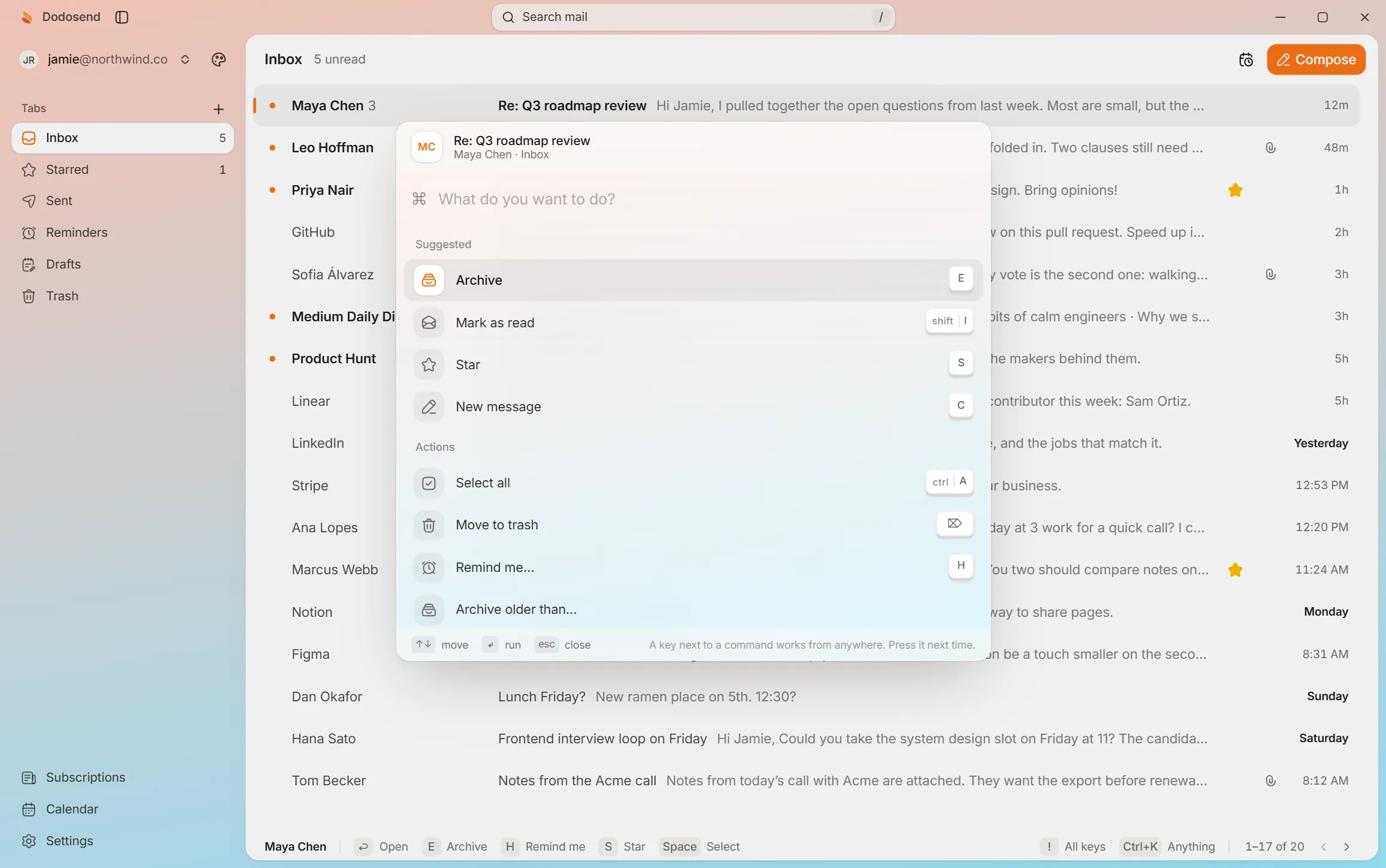
The app’s own keys, on sample mail, right in this page. Press them yourself, or let the guide show you. Nothing here touches a real mailbox.
Interactive demo. A hands-on look at how it works: use your keyboard or mouse, and the guide shows you what to do. The mail is made up.
10 threads
Press ↓ to move to the next thread.Tap “Show me” to move to the next thread.
Move, star and archive from the keyboard. Nothing is final: undo brings it back.
Everything Gmail already knows about your mail, in a desktop app you run from the keyboard.
Its own window and taskbar icon, and the keys a browser keeps for itself: Ctrl+W closes a Dodosend tab rather than your browser’s, and Ctrl+Tab moves to your next mailbox.
The new Outlook for Windows can add a Gmail account, but it is built around Outlook. Dodosend is built around Gmail: labels stay labels, its search reads Gmail’s common operators like from: and has:attachment, and one search covers every folder.
Ctrl+K opens the palette. Type what you mean, “archive” or “remind me fri 10”, and it finds the command and shows you its key for next time.
G then C opens your week, 0 shows today beside the inbox, and Ctrl+Shift+A pastes your free slots into a draft as a sentence.
Google makes no Windows app for Gmail, and Windows Mail stopped sending and receiving at the end of 2024. These are the real choices.
| Option | What it is | Gmail’s labels and search | Cost |
|---|---|---|---|
| Gmail in Chrome or Edge | The website. Chrome’s Install page as app or Edge’s Install this site as an app gives it a window and a taskbar icon | Everything, as Gmail does it | Free |
| The new Outlook | Microsoft’s mail app, which replaced Windows Mail and can add a Gmail account | Built around Outlook, with Gmail as an added account | Free, with Windows |
| Thunderbird | Mozilla’s free, open-source app, for any provider | Over IMAP: labels show up as folders, and search is the app’s own | Free |
| Mailbird | An app for Windows and Mac that gathers Gmail, Outlook, iCloud and other accounts | Over IMAP, which has to be turned on: labels show up as folders | Free for one account; Premium yearly or a one-time license |
| eM Client | A desktop suite for any IMAP, POP or Exchange account, with calendar, contacts and tasks | Over IMAP, with Google sign-in: labels come in as tags | Free for home use, with two accounts; Personal $24.95 a year or $39.95 once |
| Dodosend | A desktop app made for Gmail, run from the keyboard | Kept as Gmail has them: labels stay labels, and from: or has:attachment work | Free for one mailbox |
If the website is all you need, Chrome or Edge can install it as an app, with its own window and taskbar icon. It’s still Gmail’s website inside, run by the browser, and most of Gmail’s single-key shortcuts stay off until you turn them on in its settings.
Every Windows build is on the download page, free for one Gmail mailbox.
At sign-in: While Google reviews Dodosend, it may say it hasn’t verified the app: choose Advanced, then Go to Dodosend.
No. Google offers Gmail in the browser and on phones, but no Windows app. You can install gmail.com as an app from Chrome or Edge, which gives it a window and a taskbar icon, but it is still the website.
Yes. Dodosend runs on Windows 10 and later, 64-bit (x64).
Not yet. Dodosend supports Gmail and Google Workspace accounts. More providers are on the roadmap.
Yes, for one Gmail mailbox, with every feature. The Multi-mailbox plan, billed monthly or yearly, is for connecting more than one. Dodosend is in beta, and the download is open to everyone.
Your labels, your search, your calendar, and a key for everything. Your mail stays on your computer, and Google lets you revoke access anytime.
Free for one Gmail mailbox, on macOS, Windows, and Linux.